SOPHOMORES
In Sophomore Year our students are focused on building foundational skills. Time is given to training students in the basics of Adobe Photoshop, Illustrator, Animate, Premiere, and Indesign. As well as introducing them to photography, videography and animation. Sophomore-year students will also learn the basics of branding, and client relationships and will have chances to compete in real-life situations through opportunities such as Business Professionals of America (BPA) and SkillsUSA.
ADOBE PROFESSIONAL CERTIFICATIONS
Since Mrs. Hargrove began leading Design and Visual Communications, students have had the opportunity to earn Adobe Certified Professional certifications. This process begins in sophomore year, giving students the chance to achieve certification before graduation. Earning these credentials is a significant accomplishment, as the certifications are professionally recognized and challenging to attain, highlighting both students’ technical proficiency and commitment to excellence.


DECADE POSTER
In the Decade Poster research and design project, students explored the importance of research as a foundational step in graphic design. Students gathered information from multiple sources related to a specific decade, then analyzed and edited that research to identify the most effective central idea. This process helped them balance visual and written information while emphasizing the most important aspects of the decade. By combining research, critical thinking, and intentional design choices, students created posters that were informative, visually engaging, and conceptually strong.


.jpg)

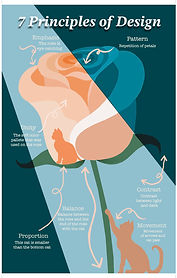
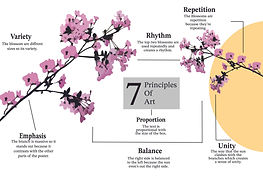
Principles of Art Posters




.jpg)


MASS Partnerships for Youth Posters


SKILLS USA
LOGOs
Skills Pins & T-shirts


STOP MOTION MOVIE
Students explored storyboarding as a way to plan and communicate an idea, incorporating elements such as set design, character design, sound, and lighting. Using these storyboards as a foundation, students created stop-motion animations—an animated filmmaking process in which objects are incrementally adjusted and photographed frame by frame. The individual frames were then edited using Adobe Premiere Pro or iMovie to create the illusion of motion and a cohesive final animation.


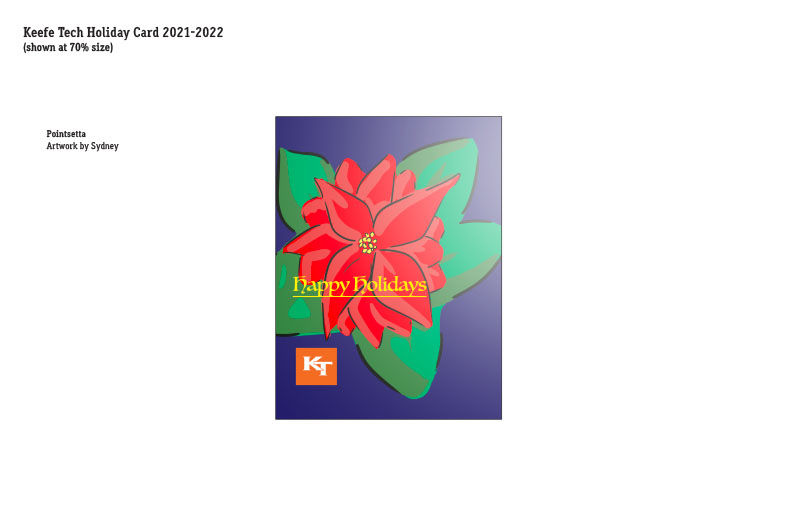
HOLIDAY CARD DESIGN
One of the most valuable skills in the design industry is the ability to work with images and text in a variety of collateral.




DESIGN AND VISUAL COMMUNICATION STUDENTS
ANIMATED ANIMALS
Creating attention-grabbing visuals is essential in social media design, and understanding efficient editing tools can significantly reduce production time when manipulating vector or raster images. Students explored features that allow for flexible and dynamic image adjustments, improving both workflow and visual impact. Additionally, students were introduced to Puppet Warp tools, which are available in Adobe Animate and Adobe Character Animator, to enhance movement, expression, and animation within their designs.


During the DVC program students work with Photoshop, InDesign, Digital Photography, and Video to produce a variety of multimedia projects for their portfolios. Package Design, Product Photography, Multimedia Presentations, Web design, and Production skills will be introduced through the use of the latest technology.

DIGITAL SYMBOLIC SELF PORTRAIT
This project gave students hands-on experience with key tools and techniques in Adobe Photoshop. Students created posters in a variety of styles, including Digital Scrapbook, Symbolic Self-Portrait, Interests Self-Portrait, and Selfie Style. Each student sketched two preliminary ideas inspired by people and places that represent their identity. We reviewed adjustment layers and effects within the Layers panel, focusing on practical applications of brushes, layer modes, and visual effects. Upon completing their projects, students reflected on their process and learning by completing an evaluation form, reinforcing both technical skills and creative decision-making.


QUILLING POSTER
Students applied technical precision to produce expressive, three-dimensional art. By layering and shaping the paper in various ways, quilling adds a three-dimensional effect, making designs visually dynamic and tactile. Forming shapes like coils, scrolls, and loops that are then glued onto a surface to create intricate patterns
LIVE JOBS
Tenth grade is the year students are challenged with the branding such as the update of the Keefe Tech Program Signage. The signs were made to be part of a cohesive family of designs. The goal was to create well-balanced, impactful signs with individual personalities representing each Keefe Tech vocational program. Utilizing the Keefe Tech brand guidelines and a strict grid they accomplished this


ANIMATION
Students worked with a variety of programs, including Photoshop, Adobe Animate, and Premiere Pro, to explore the fundamentals of animation. Projects included creating a bouncing ball and a walk cycle, allowing students to practice frame-by-frame animation while applying the principles of animation such as timing, squash and stretch, and anticipation. This project also supported participation in Business Professionals of America competitions.